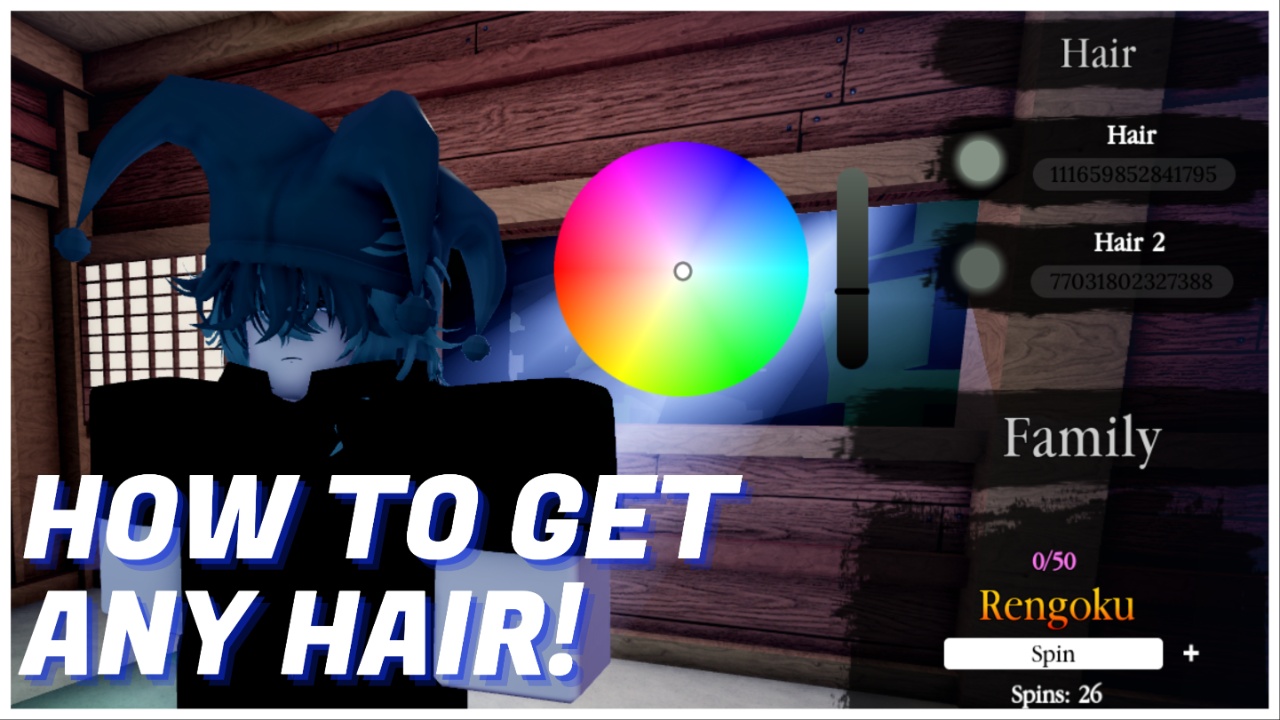
Slayerbound offers a fun cosmetic menu, where you can choose your hair and outfit, and their colours. It’s a compromise since the game won’t allow the players’ real avatars into the game, likely to uphold a theme or aesthetic.
One of the main gimmicks of this cosmetical menu is figuring out how to get Roblox Hair IDs for Slayerbound. So, in this guide, I’ll explain what you need to do to go from drab to fab.
Let’s get into it.
How To Get Roblox Hair IDs for Slayerbound
Open Roblox via desktop and, depending on the style, open the Marketplace or your Inventory. The latter, if you already own the hair you want to layer.
If browsing the Marketplace, you can filter the search by pressing Category -> Body -> Hair.
Find a hair you want to use and click on its profile.
Look at the URL and find the series of numbers. For example: https://www.roblox.com/catalog/111659852841795/White-Black-Short-Grunge-Layered-Wolfcut
From this link, you’re looking for the 111659852841795 part. Copy this, and then paste it into the customisation menu within Slayerbound, under the hair section on the right. After this, you can alter colours and find another hair to layer.


And that’s how you do layering! This gimmick appears in a few different games, usually RPG-style. So, hopefully this guide helps if you end up playing another game like this one in the future, too.
Frequently Asked Questions
- Q: Do I have to own the hair I want to use?
- A: Nope! The great thing about the cosmetics in Slayerbound is that you can choose to wear any two hair pieces from the marketplace. No Robux needed.
- Q: Does this only work on desktop?
- A: As you need the ID of the hair, which is visible within its URL, it’s easier to do this process on a desktop or via your device’s browser. You can do this on mobile if you know the IDs you want to use.
- Q: What happens if the hair is attached to a face or has accessories?
- A: The game will consider this part of the hair, so you can’t colour it separately. This allows for some fun customisation options though, as if you choose a hair piece with a head and colour it a solid colour, it mimics a fake headless.
- Q: Do I have to layer?
- A: No, if you want to just use what you already own, you can wipe the second slot and just have one hair equipped, be it one you own or one from the Marketplace.
- Q: Can I only customise hair?
- A: Yes. Slayerbound offers clothing, but they’re pre-selected to match the game, so you can’t fully kit out your avatar. You can, however, choose the colours for the clothes you pick.
Now you know everything you need to know about hair layering in Slayerbound, start playing via Roblox. Or, stick around for more Slayerbound guides, such as my Clans Masterlist.
Before you go, thank you for supporting my 100% AI-Free articles. I have fun writing these, so I appreciate you reading them!